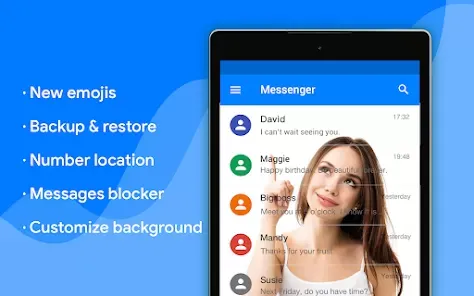

Messenger - Texting App

  •  4.4
  • Verified Safety

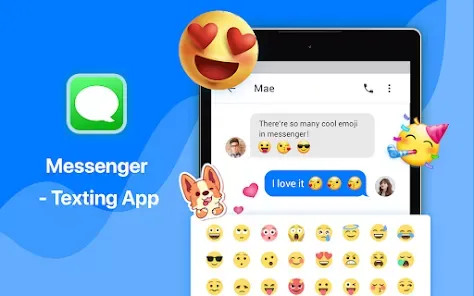
Messenger is a popular messaging application developed by Meta Platforms, Inc. Originally created as a Facebook feature, it has evolved into a standalone app that allows users to communicate with friends and family through text messages, voice calls, and video chats. With its user-friendly interface and extensive features, Messenger has become a go-to platform for millions of users worldwide.
Features of Messenger

  • Instant Messaging: Send and receive messages in real-time.
  • Voice and Video Calls: Make high-quality audio and video calls.
  • Group Chats: Create chat groups to communicate with multiple people.
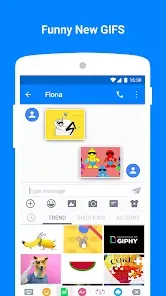
  • Media Sharing: Share photos, videos, documents, and stickers.
  • Chatbots: Interact with automated chat systems for various services.
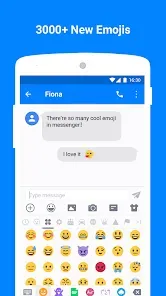
  • Reaction Features: React to messages with emojis to express feelings quickly.
  • Secret Conversations: Use end-to-end encryption for secure chats.
  • Integration with Facebook: Seamless connectivity with Facebook for easy messaging.

Pros & Cons of Messenger

Pros

  • User-friendly interface makes it easy to navigate.
  • Wide range of features including calls, video chats, and games.
  • Free to use with Wi-Fi or mobile data.
  • Strong integration with Facebook, making it convenient for social interactions.
  • Regular updates that improve performance and add new features.

Cons

  • Data usage can be high, especially for video calls.
  • Privacy concerns due to data collection practices by Meta.
  • Requires a Facebook account for full functionality.
  • Notifications can be overwhelming without proper settings.
  • Occasional bugs and glitches that affect performance.

Functions of Messenger

  • Text Messaging: Send quick messages or longer texts.
  • Audio Messaging: Send voice recordings for more personal communication.
  • Video Conferencing: Host group video calls for up to 50 participants.
  • Payment Services: Send and receive money through the app in supported regions.
  • Games and Apps: Access and play various games and third-party apps.
  • Event Planning: Create and manage events within group chats.

How to Use Messenger

  • Download the App: Install Messenger from the App Store or Google Play Store.
  • Log In: Sign in using your Facebook account or create a new account.
  • Start a Conversation: Tap on the chat icon to initiate a new message.
  • Add Contacts: Use the search bar to find friends or invite others to join.
  • Make Calls: Tap on the phone or video icon during a chat to start a call.
  • Explore Features: Discover games, bots, and other features through the menu.
  • Adjust Settings: Customize notifications, privacy settings, and more from the settings menu.

User comments

3

Well, i can't figure out what to fix so I can receive pictures from others. I can send them but I can't receive them. It's a bit annoying. Also the adds are ridiculous. It's very annoying if I accidentally hit one when trying to respond to a text....it's annoying. If I can't figure the picture thing out I may have to find another texting app

5

I have two messages apps,. One I prefer the other is a pain. Can't take it off because it's in the with this phone system. Very disappointed how items are placed in the phone you don't want me nor need.

2

Hate this thing. Every text is duplicated. Contacts are phone #, not a name. Ugly layout. Date/time above text like a title, should be below/unobtrusive. Banner ads every 3 contacts & @ bottom where u trying to read text. Redirects to ads. Who needs distraction/confusion? Checked the price for pro to see if even want to invest time to get use to app. I wouldn't BUY it for the yearly fee they're asking! $60! I've had it less than 24 hrs and already looking for something else so i can delete it!

Similar Apps