

Truecaller

  •  4.5
  • Verified Safety

What is Truecaller?

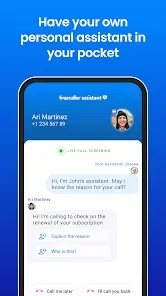
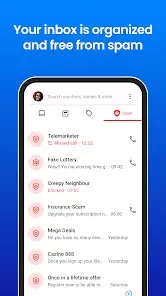
  • Truecaller is a mobile application designed primarily for caller identification and spam blocking.
  • It helps users identify unknown callers and block unwanted calls and messages.
  • The app is available on both Android and iOS platforms, making it widely accessible.
  • Truecaller relies on a community-driven database of phone numbers for its functionalities.

Features of Truecaller

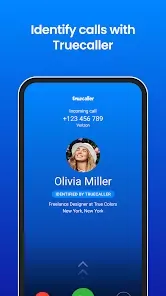
  • Caller ID: Identifies incoming calls from unknown numbers, displaying the name of the caller when available.
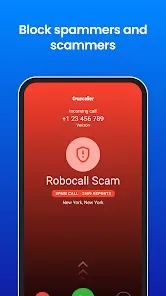
  • Spam Blocking: Automatically detects and blocks spam calls, telemarketers, and robocalls.
  • Messaging: Integrated messaging feature allows users to send and receive messages within the app.
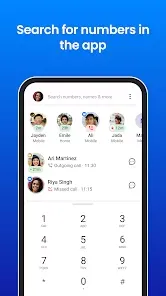
  • Search Functionality: Users can search for phone numbers to identify callers who are not in their contact list.
  • Community Reports: Users can report spam numbers, helping to maintain an up-to-date spam database.
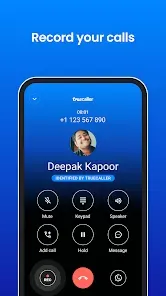
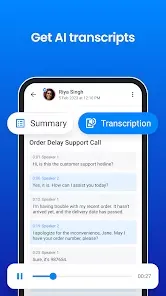
  • Call Recording: Allows users to record important calls (available in some regions).
  • Profile Customization: Users can create profiles to enhance their visibility to others using the app.

Pros and Cons of Truecaller

Pros

  • Effective Spam Blocking: Highly effective in identifying and blocking spam calls, enhancing user experience.
  • Comprehensive Caller Database: Community-driven database ensures that most numbers are accurately identified.
  • User-Friendly Interface: Intuitive design makes it easy for users to navigate and utilize the app's features.
  • Free Version Available: Offers a free version with substantial features, making it accessible to everyone.

Cons

  • Privacy Concerns: The app collects user data, which raises privacy concerns among some users.
  • Ads in Free Version: The free version includes advertisements that can be intrusive.
  • Limited Features Without Subscription: Certain features, like advanced spam detection and call recording, require a premium subscription.

Functions of Truecaller

  • Caller Identification: Displays caller information for unknown numbers, helping users decide whether to answer.
  • Spam Call Detection: Automatically blocks identified spam calls and alerts users about potential spam.
  • Text Messaging: Enables users to send messages directly from the app, adding convenience.
  • Contact Management: Users can manage their contacts efficiently, including blocking and reporting unwanted numbers.
  • Social Integration: Links to social media profiles enhance caller identification, providing more context about the caller.

How to Use Truecaller

  1. Download the App: Install Truecaller from the App Store or Google Play Store.
  2. Sign Up: Open the app and sign up using your phone number to access its features.
  3. Grant Permissions: Allow the app to access your contacts and call logs for optimal performance.
  4. Set Up Caller ID: Enable the caller ID feature to start identifying unknown calls immediately.
  5. Explore the Interface: Familiarize yourself with the layout, including the call log, messaging, and search features.
  6. Block Unwanted Calls: Use the spam blocking feature to manage unwanted calls and messages effectively.
  7. Report Spam Numbers: Contribute to the community by reporting spam or unwanted numbers you encounter.

User comments

3

Used to be so good.. For the past month or so I haven't gotten any text notifications even though I have them enabled and battery optimization is OFF.. calls come through just fine but the fact I don't even get any notifications on texts just completely ruins the experience. It worked very well for years then the last month it's been awful. Please fix the app!!

1

This app was brilliant at the beginning. But now, the app doesn't work as it was created to. The caller details don't appear on the screen until AFTER the call in most cases, despite being connected to high-speed 4G (speed checked). It is now cluttered with useless features, and random notifications. UX designer should be fired. I had subscribed to Truecaller premium earlier, but no point anymore. If this app wants to be a sellout too, nothing to say. Someone needs to create an alternative.

Similar Apps